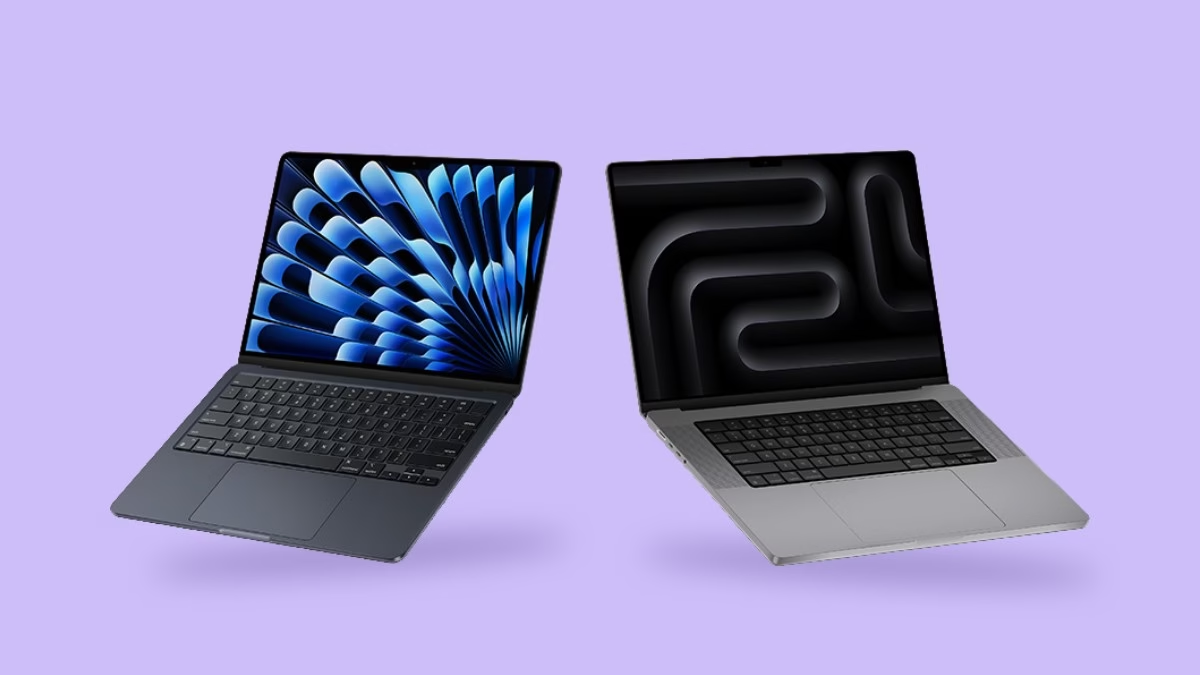
Choosing between a MacBook Air and a MacBook Pro used to be fairly straightforward. The Air was the lightweight everyday option, while the Pro was the obvious choice for anyone who needed serious performance. That distinction still exists, but it is much less clear-cut than it once was. Modern MacBook Air models are powerful enough for a huge range of professional tasks, while the Pro line has moved further towards users with genuinely demanding workloads. The result is that many buyers now risk paying for more computer than they actually need.
Start With the Work Itself
The first thing to consider is the work itself. If most of your day is spent in email, web browsers, spreadsheets, documents, video calls, and cloud-based applications, a MacBook Air will usually feel extremely fast. Apple silicon has made even the lighter models capable of handling workloads that once pushed users towards the Pro range. For office work, studying, writing, general business use and light creative tasks, the difference in everyday responsiveness can be surprisingly small.
Portability vs Performance
Why the Air Wins on Portability
Portability is where the Air still has an obvious advantage. It is designed to be thin, light and easy to carry, which matters if the laptop regularly moves between home, an office, university, trains, meetings or client sites. A few hundred grams may not sound significant on a specifications sheet, but it becomes much more noticeable when the machine is carried around all day. For users who value mobility, the Air’s lighter design can be more useful than performance they rarely exploit.
What the Pro’s Extra Size Gets You
The Pro is heavier, but that extra size brings benefits. Higher-end models offer more sustained performance, stronger graphics capability, improved cooling and, depending on the model, larger or more advanced displays. These advantages are most valuable when the computer is being pushed hard for long periods rather than during ordinary short bursts of activity.
Short-Term Speed vs Sustained Performance
That difference between short-term speed and sustained performance is important. A MacBook Air can be extremely quick when opening applications, browsing the web or processing smaller creative tasks. However, because Air models use a fanless design, they rely on passive cooling. Under prolonged heavy workloads, the machine may reduce performance slightly to manage heat. For most users, this will never be noticeable, but someone exporting large video projects, compiling substantial codebases or working with complex three-dimensional graphics may benefit from the active cooling available in the Pro.
Battery Life and Working on the Go
Battery life is another area where both models perform well, but usage patterns matter more than the advertised maximum figures. Light office work, browsing and video playback can produce excellent endurance on either machine. Heavy creative work drains the battery much faster regardless of the model. The Air often feels particularly efficient because it combines strong battery life with low weight, making it attractive for people who spend long periods away from a charger.
The Pro can still be preferable for users who work intensively while travelling. A photographer processing hundreds of RAW files, for example, may value sustained performance enough to accept the extra weight. Someone whose travel work consists mainly of documents and presentations is less likely to gain anything meaningful from carrying the heavier machine.
Display Quality and Screen Size
Display Quality
Screen quality can be a more persuasive reason to choose the Pro than raw processor speed. Higher-end Pro displays are designed for users who care about brightness, contrast, colour accuracy and smoother motion. For professional photography, video production and design, that can be important. For someone writing reports or managing spreadsheets, however, the Air’s display is already very good and the extra capability may offer little practical benefit.
Screen Size
Screen size deserves separate consideration. A larger display can make a noticeable difference when working with timelines, large spreadsheets or several windows simultaneously. Some buyers choose a Pro largely because they associate it with larger screens, but larger Air models now provide another route for users who want more workspace without necessarily needing professional-level performance. That can significantly change the value equation.
Ports and Connectivity
Ports are another area where the Pro may justify its price. Depending on the model, Pro machines tend to offer a broader range of connectivity options, which can be useful for photographers, videographers and users connecting several external displays or peripherals. Someone with a desk full of equipment may appreciate being able to plug things in directly rather than relying on hubs and adaptors.
For lighter users, however, this may not matter at all. If the laptop mainly connects to a charger and perhaps an occasional external monitor, extra ports could spend their entire life unused. Paying more for connectivity only makes sense when that connectivity is actually part of the workflow.
Memory and Storage Matter More Than the Badge
Memory and storage choices can complicate the decision further. Buyers sometimes choose a base-specification Pro simply because it carries the Pro name, even though a better-equipped Air could suit them more effectively. Extra memory or storage can have a bigger impact on useful life than moving up to a more powerful model with a minimal configuration.
This is where looking beyond the badge becomes important. A MacBook should ideally be configured around the work it will actually perform rather than the assumption that professional users automatically need the Pro model. Someone managing a large number of browser tabs, virtual meetings and office applications may gain more from additional memory than from a higher-performance processor they rarely push.
Creative Work: Do You Really Need a Pro?
Creative work is another area where broad labels can be misleading. Editing photographs in Lightroom does not automatically require a Pro. Neither does occasional video editing or music production. Modern Air models can handle these tasks remarkably well. The difference becomes clearer when the work is heavier, more frequent or time-sensitive.
A professional video editor who spends hours exporting large projects has a strong reason to choose a Pro because every reduction in render time can improve productivity. A hobbyist producing a short video every few weeks may be perfectly happy with an Air, even if the occasional export takes slightly longer. The same principle applies to software development, audio production and design.
Noise and Cooling
Noise can also influence the experience. Because the Air has no fan, it operates silently. That can be pleasant in quiet environments such as classrooms, libraries, recording spaces or bedrooms. The Pro is also generally quiet during light use, but its fans can become audible under sustained load. For users who do not need that cooling capacity, the simplicity of a silent machine has genuine appeal.
Desk-Based Use vs Carrying It Every Day
Desk-based users should think carefully about whether portability matters at all. If the Mac will spend most of its life connected to a large monitor, keyboard and mouse, the weight difference becomes irrelevant. In that situation, performance, ports and external display support may matter more. Conversely, someone carrying the machine every day may place far greater value on the Air’s lighter chassis.
Price and What the Extra Money Buys
Price inevitably shapes the decision, but it is more useful to think about where the extra money goes. Moving from an Air to a Pro may buy stronger sustained performance, a better display, more connectivity and additional graphics capability. If those things improve the way you work every day, the premium can be justified. If they remain unused, the extra money has achieved very little.
Longevity and Future-Proofing
There is also the question of longevity. Some buyers assume that purchasing the most powerful machine available will automatically make it last longer. That can be true when performance demands are likely to increase substantially, but it is not guaranteed. A well-specified Air can remain useful for many years if the workload stays within its capabilities.
Software support, battery condition and storage requirements may eventually become more relevant to useful lifespan than the difference between two processor tiers. Buying excessive performance as insurance against the future can therefore be an expensive strategy if the workload never grows enough to use it.
Who Should Choose Which?
Who the MacBook Air Suits Best
The Air often makes most sense for students, writers, office workers, managers, consultants and general users who want speed without carrying unnecessary weight. It can also work surprisingly well for photographers, musicians and occasional video editors whose workloads are moderate rather than constant.
Who the MacBook Pro Suits Best
The Pro earns its place for users who regularly push the hardware. Video professionals, three-dimensional artists, developers with intensive workloads, engineers and others who depend on sustained processing power can benefit from its cooling, graphics capability and broader connectivity. For those users, performance is not merely a specification; it can directly affect how quickly work gets finished.
Final Words
Neither machine is automatically better. They are designed around different priorities, and the gap between them is no longer as simple as basic versus professional.
The most useful question is therefore not whether the MacBook Pro is more powerful. It is. The better question is whether your work will actually use that additional power often enough to justify the extra cost, weight and capability.
For a surprisingly large number of people, the Air provides everything they need and leaves money available for additional memory, more storage or simply something else entirely. For users whose working day genuinely pushes a laptop hard, the Pro remains the stronger tool. Choosing well comes down to understanding the workload rather than buying according to the name printed underneath the screen.